Formit autodesk что это
Достаточно вспомнить AutoCAD WS — программу, позволяющую работать с чертежами на любом смартфоне или планшете, сохраняя их в «облаке» для последующего обращения со «взрослой» рабочей станции. Но одно дело двухмерные изображения, а как обстоят дела с настоящим моделированием? И тут на помощь приходит утилита FormIt.
Конечно, до 3D Studio Max ей так же далеко, как нам с вами до орбиты Сатурна, но и цели у программы совсем другие. Насколько я понял по результатам изучения, FormIt предназначена для создания облика будущего дома. Звучит странно, но на это указывает буквально все: примитивы, легко складывающиеся в крылья, эркеры и крыши, функция размещения на фрагменте карт Google, регулировка естественного освещения и другие нюансы.
Одним словом, Autodesk предлагает нам создать проект будущего дома по дороге на земельный участок, а по прибытию — скорректировать мелкие детали, понять ситуацию со сторонами света и сделать окончательный вывод. Звучит заманчиво с учетом того, что сакраментальный «дом в пригороде» был и остается основным объектом недвижимости по ту сторону Атлантического океана.
Но довольно философии, обратимся к интерфейсу и функциям приложения. Как видите, на предоставленной плоскости можно щедро расставлять любые кубики, возводя настоящие дворцы. Активно используется мультитач, а перемещение, масштабирование и подстройка элементов «впритирку» осуществляются практически интуитивно.
Смущает лишь не самая удобная панель инструментов, занимающая немало драгоценного экранного пространства даже на таком немаленьком устройстве, как Galaxy Note II. Думаю, что приложение в первую очередь предназначено все же для планшетов, так как портретную ориентацию оно не поддерживает по определению.
Удерживая любой элемент, вы добьетесь отображения контекстного меню с основными действиями. Самое удобное, пожалуй — дублирование, но для поворота или удаления блока тоже предстоит залезть именно сюда. Чтобы изменить угол зрения или масштаб камеры, достаточно покрутить рабочее пространство двумя пальцами, только и всего.
Упомянутая ранее привязка к фрагменту карты у меня, к сожалению, не заработала. Точнее — вместо текущего местоположения я был вынужден любоваться серой текстурой с сообщением об ошибке. Подозреваю, что эта приятная «фича» сможет раскрыть свой потенциал только в США, где она, собственно, и будет востребована.
Настроек немного, а метрическая система, к счастью, включена сразу, так что в соответствующий раздел можно и не заходить. Куда интереснее следить за удлиняющимися тенями, плавно регулируя дату и время захода солнца. Конечно, для пущей правдоподобности не помешали бы текстуры, но для грубой «прикидки» и так сойдет.
Если хотите — можно завести учетную запись Autodesk, но приложение вполне работоспособно и без подключения к сети (что нынче редкость). В качестве средства эскизного проектирования Autodesk FormIt просто прекрасен, но при должном увлечении его возможностей очень быстро перестанет хватать.
Нашли опечатку? Выделите текст и нажмите Ctrl+Enter
Architectural modeling software for BIM-based 3D sketching
FormIt Pro is available only in the Architecture, Engineering & Construction Collection
Included with the Architecture, Engineering & Construction Collection
Overview
FormIt is an intuitive 3D sketching tool for the conceptual design phase
FormIt app overview (video: 34 sec.)
Design anywhere, anytime within a simple and powerful design environment.
Access basic features with the free FormIt app.
FormIt Pro is available only in the Architecture, Engineering & Construction Collection
FormIt Pro overview (video: 1:36 min.)
The pro version of FormIt includes the tools in the FormIt app, plus Dynamo computation, and collaboration and analysis features. The collection also includes:
What’s new in FormIt Pro?
3D sketch and send to Revit with FormIt Pro (video: 1:02 min.)
Get improved interoperability between FormIt Pro and Revit. Directly import FormIt files into Revit projects.
FormIt features
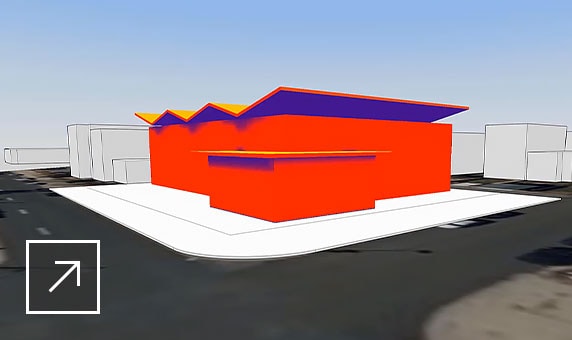
Integrated energy analysis
Make informed design decisions earlier in the process with Insight energy analysis.
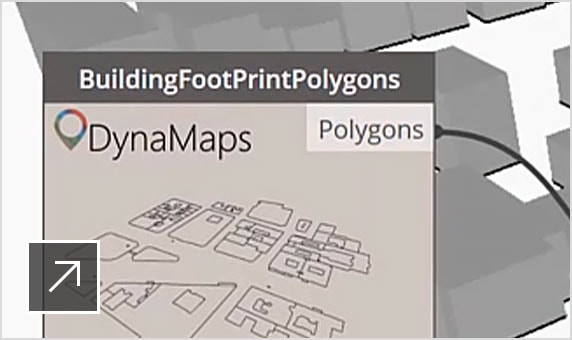
Design with intelligence
Explore parametric conceptual designs with an improved FormIt/Dynamo connection.
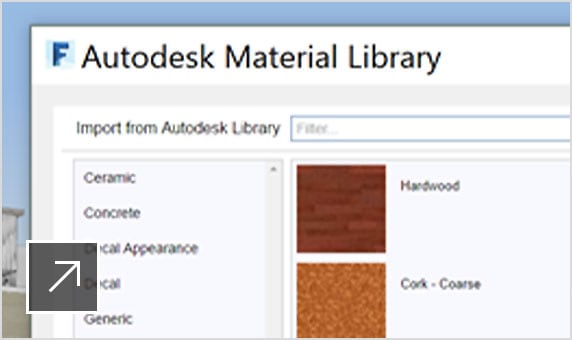
Improved visualization and materials
Find sample materials easily through the built-in Material Library.
Massing studies for programming
Create massing studies in FormIt, then use Revit for quantification and presentation.
Use real-world context
Bring 3D terrain and roadway information into FormIt with Infraworks.
Sketch in 3D, anywhere
Design on an iPad with clients, on site, or anywhere inspiration strikes.
Which FormIt is right for you?
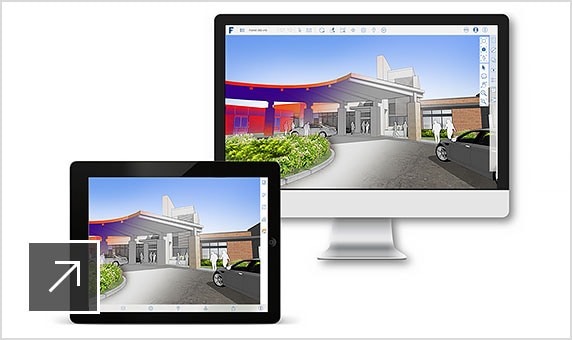
FORMIT
Get intuitive architectural modeling software in a free 3D sketching app with native Revit interoperability.
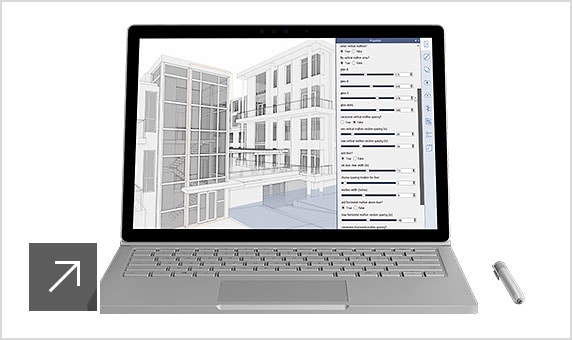
FORMIT PRO
Access all FormIt capabilities in the free app, plus Dynamo computation, collaboration, and analysis features.
Reporting:
Product usage reporting
Administration & Security:
Bulk import & assign
Support & Adoption Services:
Collaboration:
Click here to see full list of plan features and frequently asked questions.
Need help with training, implementation, and other support to get the most out of your software? Hiring the right qualified professional is as simple as an online search.
Visit the Autodesk Services Marketplace to find Autodesk-approved professionals to help you with:
Note: Any service contracted with providers is a direct, paid engagement between customers and providers.
Autodesk FormIt Pro 2022.1.0
Воплощайте свои идеи в реальность. Создавайте эскизы, анализируйте, сотрудничайте и легко разрабатывайте концепции дизайна с помощью программы Autodesk FormIt Pro, она также может работать с планшета или через веб-браузер (перед вами настольная версия). Плавно переходите от концептуального проектирования к разработке проекта с помощью распознанных смарт-объектов Revit. Autodesk FormIt доступен в коллекции Autodesk Architecture, Engineering, and Construction Industry Collection, наряду со многими другими решениями, которые улучшают и расширяют рабочие процессы AEC и BIM.
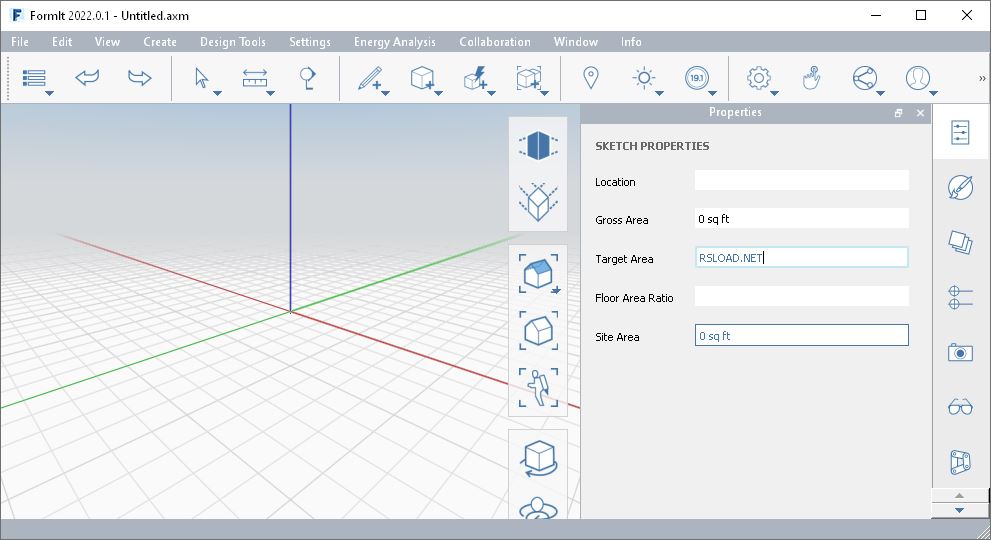
Autodesk стремится к тому, чтобы FormIt и Revit были органично связаны на этапах эскизного проектирования и разработки проектной документации. В идеале, по мнению Autodesk, FormIt будет использоваться на ранних этапах проектирования, определяя слои пола, ориентацию, оболочку здания и поэтажные планы (для полной активации программы вам нужен ключ, используя его вы получите лицензионную версию и регистрацию, можете использовать кряк, все есть в архиве). Объекты FormIt становятся семействами Revit Mass и при переносе переводятся в стены, навесные стены, уровни и геометрию крыши. Также возможно вводить геометрию из семейств Revit Families в FormIt. Они могут быть возвращены обратно в Revit. Системные семейства также можно экспортировать в FormIt с помощью опций экспорта SAT.
Introducing FormIt 2022
by Josh Goldstein 7 months ago
It’s spring, and that means amazing updates to Autodesk products!
For our part, the FormIt team is proud to announce the availability of FormIt 2022: More connected and capable than ever.
Get the update now forВ Windows (also available via the Autodesk Desktop App), Web, andВ iPadOS.
Here’s a look at what’s new:
FormIt + Revit for 2022
3D Sketch, Send To Revit, and Import CAD
The FormIt + Revit connection is all-new with this release, bringing big changes and highly-requested features.
This is just the start of something amazing: We’ll be building on this new architecture in future releases.
3D Sketch Button
Launch FormIt Directly from Revit
FormIt is now accessible directly from Revit, no Add-In required! (FormIt for Windows only)
In theВ Massing & SiteВ tab, you’ll find a newВ 3D SketchВ button, which will launch an instance of FormIt for Windows 2022.0 or newer:

From here, you can choose to start FormIt with some or all of the Revit context:

Send to Revit Button
A Direct Connection Between FormIt + Revit
When launched from the 3D Sketch button in the Revit ribbon, FormIt 2022 will be connected to the Revit project from which it was launched, unlocking another highly-requested feature: the ability to send FormIt geometry directly to Revit.В

When connected to Revit, you’ll notice a new button in the FormIt toolbar:В Send to Revit. Similar to the 3D Sketch button,В Send to RevitВ allows you to send some or all of the FormIt model back to the Revit project that initiated this FormIt session. Iteration between FormIt and Revit has never been easier!


Import CAD Support for FormIt (.axm) Files
Of course, you may want to get FormIt data into Revit without launching a FormIt session. To this end, we’ve added support for FormIt (.axm) files in Revit’s Import CAD dialog, replacing the former «Import FormIt to RVT» button in the old Add-In.

FormIt to Revit: Import Performance
Underpinning all of these changes is a brand new data conversion process, which drastically improves the performance of converting FormIt geometry into Revit.
When converting large FormIt models into Revit, you can expect the process to beВ 10x to 30x faster,В with no need to break up the model into smaller chunks as before. In addition, geometry and material fidelity between the two apps is as good or better with this new system than previously.В

FormIt Converter
As a result of these changes, we’ve moved some features out of the old FormIt Converter Add-In, and we’ll be evolving the remainder of the Add-In over time.
Be sure to take a look at ourВ FormIt + Revit integration pageВ for workflows and more details on what’s changed.
FormIt + Dynamo for 2022
Better Performance, Watch Node Support, and New FormIt Nodes
The FormIt + Dynamo connection takes a big step forward for 2022, featuring significant performance improvements, new nodes and node support, and user interface enhancements. (FormIt for Windows only)
Faster Iteration from the Properties Palette
When running a Dynamo graph from the FormIt Properties palette, the Dynamo instance computing the results is now kept active for the remainder of the FormIt session, resulting in huge performance gains for subsequent runs. Iteration from the Properties palette has never been faster!
Here are a couple of real-time comparisons showingВ 5x to 10x speed improvementsВ on graphs of varying complexity:


Watch Node Support
If you’ve ever wanted to view non-geometric results from a Dynamo graph in the FormIt interface, this update is for you!
Watch nodes marked as «Is Output» will now display in the FormIt Properties palette:В

BakeToFormIt is Now Known as SendToFormIt
With this release, we’ve renamed the venerable BakeToFormIt node to SendToFormIt.

You might notice the SendToFormIt node now includes a new input port:В FormItGroupOptions. We’ll talk about that next.
FormItGroupOptions Nodes
Customize how Dynamo Sends Geometry to FormIt
IntroducingВ FormItGroupOptions: A new series of nodes that work with the SendToFormIt node to cusomize how geometric data is sent from Dynamo to FormIt.В

WithВ FormItGroupOptions, you can now:
Specify whether the SendToFormIt node sends geometry to FormIt as a Mesh or an Object
Specify the Layer for the Group created by the SendToFormIt node
Specify a string attribute for the Group created by the SendToFormIt node
You can also use any combination of FormItGroupOptions nodes in any order by daisy-chaining them together:

New Dynamo Samples: Building Masses and Solid Utilities
We’ve added an assortment of new graphs to our Dynamo Samples, inВ new subfolders calledВ Building MassesВ andВ Solid Utilities.
Here’s what they do:
Building Masses
Dynamo-powered massing models for planning and programming studies.
Mass by Outline
Generate a generic building mass from a closed edge loop or face on the ground plane.

Multifamily Along Path
Generate a multifamily building mass from an open or closed set of curves, including options for single- or double-loaded corridors.

Roof Planes Building

Room by Area

Solid Utilities
Dynamo-powered solid operations that allow for infinite iteration without affecting the original objects.
Boolean Difference
Boolean Join
Sweep
More on Dynamo
Dynamo 2.10
We like to stay on the cutting edge, so we’ve updated Dynamo to versionВ 2.10, which also includes improvements fromВ 2.9 since the last FormIt release.

Node Documentation and Icons
All FormIt nodes now feature improved node and port documentation as well as helpful icons when viewed in the Dynamo library panel.


Watch Nodes for Dynamo Samples
We’ve also updated many of the Dynamo samples to take advantage of the new Watch node support, and we’ve set most geometric outputs to create FormIt objects instead of meshes for improved snapping and editability.

We hope you enjoy these improvements to Dynamo for 2022, and we’ve got even more on the way!
FormIt + Autodesk Docs for 2022
FormIt’s connection to the cloud continues to grow, with new interface functionality and more efficient ways to navigate.
BIM 360 Docs is Now Autodesk Docs
Autodesk’s cloud storage solution is now known as Autodesk Docs, and you’ll see the new name and new icons across FormIt platforms:

Filter for Autodesk Docs Projects
Have a lot of projects in your Autodesk Docs accounts? FormIt now features a built-in project filter, allowing you to find your projects faster than ever:

View Docs Locations In Browser Directly from FormIt
When navigating your project structure in the Autodesk Docs Gallery or Content Library, we’ve added a convenient «View in Autodesk Docs» button to instantly take you to this location in your browser, so you can manage and organize your files in Autodesk Docs easier than ever:

Performance Improvements
We’re resuming where we left off with last year’s performance-focused release by optimizing several other areas in FormIt that could slow down large models.
Group Transform and Quick-Copying
We’ve drastically improved the responsiveness of transform operations (move, scale, rotate, mirror, array) as well as quick-copy (Ctrl + move) on large Groups, resulting inВ 5x fasterВ performance.
Here’s a comparison showing moving an entire 85MB model in one Group:

Shadows
Toggling shadows in large, complex models is now up toВ 15x fasterВ than in previous versions:

In addition, shadows will dynamically toggle off in large models to improve performance when navigating and editing, and they’ll turn back on when the camera stops moving.
Navigation Tools
A small but noticeable change: In FormIt for Windows and Web, mouse-driven navigation commands like Orbit, Pan, and Swivel, no longer have a small delay when starting the click-drag gesture, making these tools feel snappier than ever.
Layer Locking
With this release, we also addressed a long-standing customer request: The ability to lock objects on Layers so they cannot be selected:

When a Layer is locked, you’ll see a tooltip indicating you can’t select the object because its corresponding Layer is locked:

Other Enhancements
As always, we strive to polish and improve FormIt’s existing feature set with small enhancements in each release.
FormIt Thumbnails for Windows Explorer
Instantly Toggle Terrain
Last year, we added the ability to import terrain when setting location. With this release, the message that pops up now offers a hyperlink to instantly toggle Terrain without visiting the Layers palette: (FormIt for Web and Windows only)

New Plugin Manager and Plugin Playground
These changes actually went live a couple of months ago, but we haven’t officially announced them yet. This is the beauty of FormIt plugins: New functionality with no app update required! (FormIt for Web and Windows only)
We’ve rebuilt the Plugin Manager with a new architecture and interface that better surfaces plugins from across GitHub:

We’ve also added a new way to author plugins. Introducing the Plugin Playground:

We’ll soon be writing a blog post on how to create and publish FormIt plugins, so your code creations can be easily discovered by other FormIt customers via the Plugin Manager. Stay tuned!
Improved Scaling for Plugins and Webviews
For plugins and webviews generally, we’ve made a huge improvement for customers using 4k screens: Interface elements now scale up automatically to match the operating system’s DPI scaling. (FormIt for Windows only)

This means all plugins, as well as webviews like the Location dialog, will appear larger for customers on 4k screens. No more squinting!
This change also adds the benefit of enabling Ctrl + scroll for zooming in/out to adjust the scaling level manually in various palettes and dialogs. This includes all plugins and webviews, as well as the Script Output and the html debugger windows.
New Windows Installer
We’ve also updated the FormIt for Windows installer to a brand-new system, aligning us with other Autodesk products and modernizing the install experience and interface:

Bug Fixes
Squashing bugs is important work too, and we did a lot of it this release. We’ve highlighted a few below, but you can read the full list of fixes in the release notes forВ Windows,В Web, andВ iPadOS.
We fixed several issues with tools, including:
New geometry would draw behind the camera unexpectedly when modeling below the active workplane or ground plane
Incorrect move results when moving an object along a Mesh
Incorrect results when offsetting a face with a «dangling edge»
We fixed several issues with materials, including:
Importing sample materials could result in mismatched names (iPad only)
Renaming a material could fail if a material deleted in the current session already used that name
We fixed issues with the camera, including an unexpected zooming action after Zoom All/Zoom Selected and after saving a file.
We fixed several issues with selection highlight, including:
Smooth edges on a face in a Group would highlight in the wrong location
Highlights of faces and edges wouldn’t show up through a Section Plane
We fixed several issues with selection tools, including:
Selection would be unexpectedly cleared when clicking in space with Shift held
Paintbrush tool would prehighlight edges and vertices unnecessarily
We fixed several issues with exporting to other file formats, including:
Exporting to FBX with mirrored instances would omit the name data from the mirrored instances
Exporting to FBX could result in bad material alignment in some cases
We fixed several issues with Dynamo, including:
A hang in FormIt when Dynamo failed to launch correctly
Dynamo parameters showing up unexpectedly on non-Dynamo objects after ungrouping a Dynamo object
We fixed an issue on iPad that would prevent login for customers using SSO (single sign-on) accounts.
Up Next
FormIt 2022 is the latest major step forward for FormIt and its connection with other Autodesk products, but the work continues: We’ve already started on the next big FormIt release.
This year, we’ll continue to evolve the Dynamo and Revit integrations, and we’re also building out new platforms and systems for highly-requested features and some new surprises.
Love what you see? Have something you want us to know? Feel free toВ post on the FormIt forums with questions or comments, or on theВ IdeaStation for feature requests.
More updates on the way! Until then, be well.